Types of Computer Software boost your knowledge today now
Published: 1 Apr 2026
Many people install the wrong programs and then complain about slow speed, errors, or system crashes. I have worked with many users who filled their computers with unnecessary apps because they did not understand the types of computer software and their real purpose. This creates problems like low performance, storage issues, and even security risks. When you do not know which software you actually need, you often waste time and money on the wrong tools. I learned this through real experience while helping users clean and improve their systems. Once you clearly understand the types of computer software, you can avoid these issues, keep your system organized, and use only the tools that truly support your daily work.
Types of Computer Software Step by Step
Understanding the types of computer software helps you use your system in a smarter way. I have seen many users slow down their computers by installing the wrong programs. When you learn software types step by step, you can choose the right tools for your work. This also helps you keep your system fast, secure, and well organized.
- System Software
- Application Software
- Utility Software
- Programming Software
- Firmware
- Security Software
- Device Driver Software
- Open Source Software
- Proprietary Software
System Software
System software runs the computer and manages all basic functions. I work with it every time I start or use a system. It controls hardware and allows other programs to run smoothly. Without it, the computer cannot operate at all. It works in the background and keeps everything stable. When you understand it, you can manage your system better.
- Controls overall system operations
- Manages hardware and system resources
- Supports running of other software
- Works in background continuously
- Keeps system stable and responsive
Tip: Keep system software updated for better security and performance.
Application Software
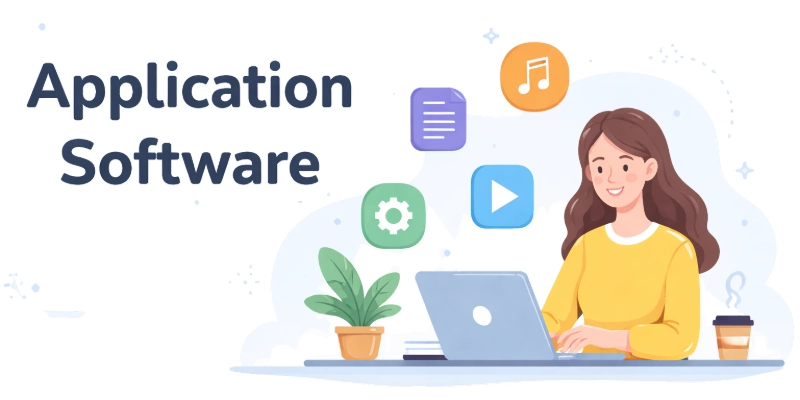
Application software helps you perform specific tasks on a computer. I use these programs daily for work, learning, and communication. Each application focuses on a single purpose or activity. Without it, you cannot complete your daily digital tasks. Choosing the right apps improves your productivity. It also makes your work easier and faster.
- Performs specific user tasks
- Helps in daily work activities
- Includes tools for communication and learning
- Designed for user interaction directly
- Improves efficiency and task completion
Tip: Install only useful applications to keep your system fast.
Utility Software
Utility software helps maintain and protect your computer system. I often use it to clean files and improve performance. It works to fix issues and keep the system running smoothly. Without it, small problems can grow into bigger ones. These tools support system health and safety. Understanding them helps you avoid common system issues.
- Maintains system performance and health
- Cleans unnecessary files and data
- Protects system from threats
- Helps fix minor system issues
- Supports smooth system operation
Tip: Run utility tools regularly to keep your system clean.
Programming Software
Programming software helps developers create and test programs. I have used these tools to build and check code step by step. It provides features for writing and debugging code easily. Without it, software development becomes difficult. These tools support coding in different languages. Learning them helps you build your own applications.
- Used to write and test code
- Supports different programming languages
- Helps debug and fix errors
- Provides tools for software development
- Improves coding efficiency and accuracy
Tip: Choose simple programming tools if you are a beginner.
Firmware
Firmware is a special type of software stored inside hardware devices. I have seen it control how devices start and operate. It works at a low level and does not change often. Without it, hardware cannot function properly. It connects hardware with higher level software. Understanding firmware helps you know how devices run internally.
- Stored inside hardware components
- Controls basic device functions
- Works at low level operations
- Does not change frequently
- Connects hardware with system software
Tip: Update firmware only when needed to avoid system issues.
Security Software
Security software protects your computer from threats and unsafe activity. I use it daily to keep systems safe from viruses and harmful files. It scans data and blocks risks before they cause damage. Without it, your system becomes an easy target for attacks. It also helps protect your personal information. When you understand it, you can keep your system secure and stable.
- Protects system from viruses and threats
- Scans files and detects harmful activity
- Blocks unauthorized access to system
- Keeps personal data safe and secure
- Improves overall system safety level
Tip: Always keep your security software active and updated.
Device Driver Software
Device driver software helps hardware communicate with the operating system. I have used drivers many times while installing new devices. Without drivers, hardware cannot work properly with the system. Each device needs its specific driver to function correctly. It ensures smooth communication between parts. Understanding drivers helps you fix many device issues easily.
- Connects hardware with operating system
- Allows devices to function properly
- Required for new hardware installation
- Supports smooth data communication
- Helps fix device related issues
Tip: Install correct drivers to avoid hardware problems.
Open Source Software
Open source software allows users to view and change its code. I have worked with such software to customize features as needed. It is free to use and often supported by communities. Without restrictions, users can improve and share it. This makes it flexible and widely used. Understanding it helps you explore more control over software.
- Free to use and modify
- Source code available to users
- Supported by global communities
- Allows customization based on needs
- Encourages learning and development
Tip: Use trusted open source tools for safe and flexible use.
Proprietary Software
Proprietary software is owned by a company and comes with restrictions. I have seen many users rely on it for professional work. You cannot change its code or share it freely. It often provides strong support and regular updates. Companies design it for specific use and stability. Understanding it helps you choose reliable software for tasks.
- Owned and controlled by companies
- Source code not available to users
- Comes with usage restrictions
- Provides official support and updates
- Designed for specific professional use
Tip: Read license terms before using proprietary software.
Conclusion Types of Computer Software
In this guide, we have covered “Computer Software.” I suggest you always keep a balance between useful features and possible risks when choosing software. Some programs improve your work, while others can slow your system or create security issues. You can manage these risks by installing trusted software, updating it regularly, and avoiding unnecessary tools. This simple approach helps you keep your system safe and efficient. Thank you very much for your time and for reading this guide.
Don’t skip the next part of the FAQs. I hope you will find something more interesting, so don’t miss it. If you miss it, you may lose something new.
FAQS Types of Computer Hardware
The main types of computer software include system software, application software, and utility software. Each type performs a different role in a computer system. Together, they help the system run smoothly.
System software controls the basic functions of a computer. It includes the operating system and device drivers. It helps the hardware and other software work together.
Application software helps users perform specific tasks like writing or browsing. Examples include word processors and web browsers. It makes daily work easier and faster.
Utility software helps maintain and protect your computer system. It cleans files, removes errors, and improves performance. It keeps your system running smoothly.
Programming software helps developers write and test code. It includes tools like code editors and compilers. It is important for creating new software programs.
Open source software allows users to view and change the code. Proprietary software does not allow code access and has restrictions. Both have different uses based on user needs.
Understanding types of computer software helps you choose the right tools. It also helps you avoid installing unnecessary programs. This improves system performance and safety

- Be Respectful
- Stay Relevant
- Stay Positive
- True Feedback
- Encourage Discussion
- Avoid Spamming
- No Fake News
- Don't Copy-Paste
- No Personal Attacks
- Be Respectful
- Stay Relevant
- Stay Positive
- True Feedback
- Encourage Discussion
- Avoid Spamming
- No Fake News
- Don't Copy-Paste
- No Personal Attacks
