Computer Network Protocol Powerful Benefits and Hidden Risks
Published: 11 Mar 2026
Understanding how computers communicate with each other can feel confusing, especially when terms and technical rules start to sound overwhelming. Many beginners struggle to figure out where these rules come from and how they actually work in real networks.
This confusion often makes learning networking feel harder than it needs to be. That is where this guide comes in. In this article on how to computer network protocol, you will get clear and step-by-step guidance that breaks the topic into easy ideas.
What is a Computer Network Protocol?
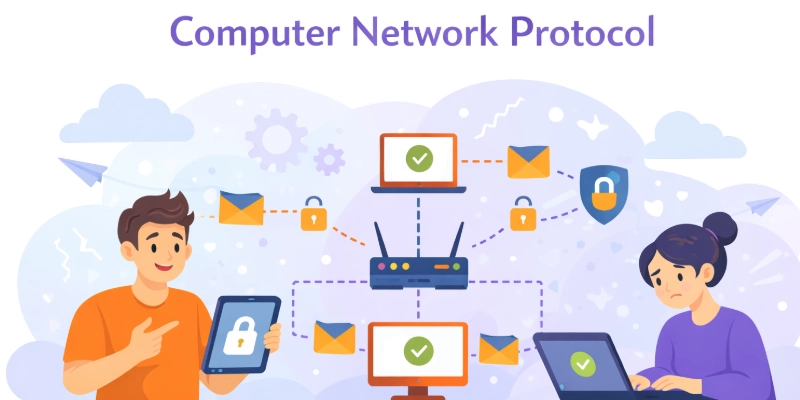
A computer network protocol is a set of rules that helps computers and devices communicate with each other over a network. It defines how data is sent, received, and understood between systems.
These rules make sure information travels correctly and reaches the right device. Network protocols also manage data format, timing, and error control.
They allow different devices and software to work together smoothly.Without computer network protocols, internet services like emails, websites, and file sharing would not function properly.
Why Are Network Protocols Important?
Network protocols are important because they allow devices to communicate in a clear and organized way. They ensure data is sent accurately and reaches the correct destination. Protocols also help prevent errors and data loss during communication.
They make it possible for different devices and systems to work together smoothly. Security protocols protect information from unauthorized access. Without network protocols, modern internet and network services would not work reliably.
Types of Computer Network Protocols
Computer network protocols are grouped based on the role they play in communication. Each type handles a specific task to keep data moving smoothly and safely across networks. Understanding these types makes networking easier to learn.
- Communication Protocols
- Security Protocols
- Routing Protocols
- Management Protocols
- Transport Protocol
Communication Protocols
Communication protocols are rules that allow devices to exchange information over a network. They define how data is sent, received, and understood between systems.
These protocols ensure that messages are delivered accurately and on time Common examples include protocols used for web browsing, email, and file transfer.
Network / Routing Protocols
Network or routing protocols are used to decide the best path for data to travel across a network. They help routers share information and update routes when network conditions change.
These protocols improve speed and reliability during data transfer. By selecting efficient paths, they reduce delays and network congestion. Common routing protocols support smooth communication between different networks.
Application Layer Protocols
Application layer protocols provide services that allow users to interact with network applications. They define how data is requested and delivered for tasks like browsing websites or sending emails.
These protocols work at the top layer of the network model. They ensure that applications can communicate with network services correctly. Common application layer protocols support everyday internet activities.
Security Protocols
Security protocols protect data during transmission across networks. They ensure that information remains private and cannot be accessed by unauthorized users. These protocols use methods like encryption and authentication to keep data safe.
They are essential for secure online activities such as banking, email, and file sharing. Common security protocols help maintain trust and safety in network communication.
Wireless & IoT Protocols
Wireless and IoT protocols enable devices to communicate without physical connections. They manage data exchange between smart devices, sensors, and networks. These protocols ensure reliable and efficient communication over short or long distances. They are widely used in home automation, wearable devices, and industrial applications. Common examples include Wi-Fi, Bluetooth, and Zigbee.
Advantages of Computer Network Protocols
Computer network protocols offer many pros and benefits that make networks work smoothly and efficiently. They help devices communicate clearly and reliably. Protocols also protect data, prevent errors, and make networks easier to manage.
By using these rules, networks run faster and stay more secure. Overall, they make technology simpler and more trustworthy for everyone.
Here is the complete list of all the advantages of Computer Network Protocols
- Reliable Communication
- Enhanced Security
- Standardized Communication
- Efficient Routing
- Network Management
- Error Detection
1. Reliable Communication
Computer network protocols ensure that devices communicate accurately. They make sure data reaches the correct destination every time. These protocols organize the sending and receiving of information.
They help avoid mistakes and lost messages. When devices follow the same rules, communication becomes smooth. Reliable communication makes networks easier to use and trust.
- Sends data to correct devices
- Delivers messages without delay
- Prevents information loss naturally
- Ensures smooth device communication
- Maintains consistent message flow
- Supports multi-device connections easily
2. Enhanced Security
Security protocols protect data from unauthorized access. They use encryption and authentication to keep information safe. These protocols prevent hacking and interception of messages. They secure sensitive activities like banking or emails. Users can trust networks to keep their data private. Security protocols make online communication safer and reliable.
- Protects private user information
- Prevents unauthorized data access
- Encrypts messages for safety
- Secures online transactions safely
- Stops hacking and breaches
- Maintains trust between devices
3. Standardized Communication
Protocols create a standard set of rules for all devices. They allow different hardware and software to work together. Standardization reduces confusion when connecting new devices
It simplifies troubleshooting and network management. Devices can easily share information without errors. Standardized communication improves efficiency across networks.
- Devices follow same rules
- Easy software and hardware integration
- Reduces setup confusion quickly
- Simplifies network troubleshooting tasks
- Improves overall communication efficiency
- Supports uniform data exchange
4. Efficient Routing
Routing protocols find the fastest path for data to travel. They help information reach its destination quickly. These protocols adjust routes when networks face problems.
They reduce delays and avoid congestion in networks. Efficient routing improves the speed of communication. It keeps large networks running smoothly.
- Chooses fastest data path
- Reduces network congestion effectively
- Adjusts routes automatically
- Improves data delivery speed
- Supports large network traffic
- Prevents unnecessary delays
5. Network Management
Management protocols help monitor and control network performance. They track traffic and detect issues early. These protocols allow administrators to maintain networks efficiently. They improve reliability and reduce downtime. Network management keeps systems stable and organized. It makes everyday network use easier.
- Monitors network traffic constantly
- Detects problems before failures
- Simplifies device management tasks
- Reduces network downtime efficiently
- Maintains network stability easily
- Organizes network resources clearly
6. Error Detection
Error detection protocols check data for mistakes during transmission. They find and correct errors to ensure accuracy. These protocols prevent corrupted information from reaching devices.
They improve reliability in communication and applications. Error detection saves time by avoiding repeated transmissions. It makes network data trustworthy and precise.
- Detects data transmission mistakes
- Corrects errors automatically
- Ensures accurate information delivery
- Prevents corrupted data issues
- Improves network reliability consistently
- Maintains data integrity effectively
Disadvantages of Computer Network Protocols
Guys, as you know, every useful system has some drawbacks. When it comes to Computer Network Protocol downsides, there are a few points to keep in mind. I have also listed some risks of using Computer Network Protocol that I personally feel are important. Here, I have mentioned the major limitations clearly.
Here we will study all the main Computer Network Protocols cons.
- Complexity in Configuration
- High Implementation Costs
- Compatibility Issues
- Security Vulnerabilities
- Performance Overhead
- Limited Flexibility
1. Complexity in Configuration
Setting up network protocols can be complicated. Beginners often find it hard to configure devices correctly. Incorrect configuration can lead to communication problems. Protocols require careful attention to rules and settings.
Learning the correct setup takes time and practice. Complex configuration can make networks harder to manage.
- Difficult initial setup process
- Multiple settings to configure
- Requires technical understanding
- Time-consuming configuration steps
- Errors cause communication issues
- Needs constant monitoring
2. High Implementation Costs
Implementing network protocols can be expensive. Organizations may need special hardware or software. Training staff to manage protocols adds extra costs.
Upgrading systems to follow new standards increases spending. Small networks may struggle to afford these changes. High costs can slow down network adoption.
- Requires costly hardware installation
- Needs specialized software purchases
- Staff training adds expenses
- Upgrades increase overall cost
- Small networks face budget issues
- High financial investment needed
3. Compatibility Issues
Not all devices work well with every protocol. Older systems may not support newer protocols. This can cause errors or slow communication. Protocols need careful selection to ensure compatibility.
Managing mixed devices requires extra effort. Compatibility problems can delay network operations.
- Older devices may fail
- Some systems lack support
- Causes communication errors often
- Slows data transfer speed
- Requires extra management effort
- Delays network operations occasionally
4. Security Vulnerabilities
Protocols can have weaknesses that hackers exploit. Poorly configured protocols may expose sensitive data. Vulnerabilities can lead to unauthorized access or breaches.
Security patches and updates are necessary to stay safe. Users must be aware of these risks constantly. Security issues can reduce trust in networks.
- Weak points attract hackers
- Sensitive data may leak
- Unauthorized access possible
- Needs regular security updates
- Misconfiguration increases risks
- Reduces user trust easily
5. Performance Overhead
Network protocols can slow down communication. Extra processing is required to follow protocol rules. Large networks may experience delays due to protocol overhead.
Data transmission can become less efficient. High traffic increases performance strain. Performance issues can frustrate users and administrators.
- Extra processing slows network
- Large traffic causes delays
- Reduces overall efficiency
- Adds strain on devices
- Can frustrate network users
- Impacts real-time applications
6. Limited Flexibility
Some protocols are rigid and hard to change. Adapting them to new network needs can be difficult. They may not support unconventional setups.
Limited flexibility can block innovation in network design. Adjusting protocols often requires professional help. Networks may not respond quickly to changing requirements.
- Hard to adapt quickly
- Cannot change rules easily
- Limits unconventional setups
- Blocks network design changes
- Requires expert adjustment often
- Reduces responsiveness to needs
The Role of Computer Network Protocols in Modern Networks
Conclusion
Guys, in this guide, we have covered everything about computer network protocols, including their types, advantages, and disadvantages.
We explored how they help devices communicate, keep data safe, and make networks work efficiently, as well as the challenges they can bring.I personally recommend understanding the basics of these protocols first, as it makes managing networks much easier and more reliable.
Keep practicing and applying what you learn to build strong networking skills. Stay curious and keep learning, buddies!
FAQs
Here are some quick FAQs related to computer network protocols. Each one helps you understand the basics without confusion.
Computer network protocols help devices communicate clearly and reliably. They ensure data reaches the right place without mistakes. Protocols also make networks more secure and organized. Overall, they make managing and using networks much easier.
Yes, some protocols can be complex to set up. They may need extra costs for hardware or software. Security risks can appear if protocols are not configured properly. Some protocols can also slow down data transfer.
Reliable communication ensures messages arrive correctly at the destination. It prevents data loss and confusion between devices. This reliability keeps networks running smoothly. Without it, devices cannot share information effectively.
Security protocols use encryption to keep information private. They prevent unauthorized access and hacking. They protect emails, files, and online transactions. These protocols make networks safer for everyone.
Yes, protocols like routing and transport help data move efficiently. They choose the best paths and check for errors. This reduces delays and avoids congestion. Proper protocols keep networks fast and smooth.
Misconfigured protocols can cause communication errors. Data may be lost or sent to the wrong place. Networks may run slower or face security risks. Proper setup is important to avoid these problems.
No, some older devices may not support new protocols. Compatibility issues can cause errors or slow connections. It is important to check device support before using a protocol. Proper planning ensures smooth communication.






- Be Respectful
- Stay Relevant
- Stay Positive
- True Feedback
- Encourage Discussion
- Avoid Spamming
- No Fake News
- Don't Copy-Paste
- No Personal Attacks
- Be Respectful
- Stay Relevant
- Stay Positive
- True Feedback
- Encourage Discussion
- Avoid Spamming
- No Fake News
- Don't Copy-Paste
- No Personal Attacks
